iPad vs Android Tablet | What matters before specs do
Most iPad vs Android tablet discussions get stuck at brand preference, but buyers usually make the decision for more practical reasons. The real split comes from ecosystem fit, file habits, pen workflow, app expectations, and whether the buyer wants a more tightly integrated experience or a more flexible one.
The ecosystem question still comes first
If the buyer already lives inside iPhone, Mac, AirDrop, Apple Notes, and Apple-first accessories, iPad usually begins with a practical advantage. It does not need to win every spec category, because it is already solving a routine problem: less friction between devices that are used every day. That matters more than online debates suggest, because tablets are often judged in isolation even though they rarely live in isolation.
Android tablets become more compelling when the buyer’s routine is built around Samsung phones, Windows PCs, broader file movement, or a preference for more flexible storage habits. In that case, Android is not the “other option.” It is the platform that asks the buyer to compromise less. The cleaner answer usually appears once the buyer stops asking which platform is better in general and starts asking which platform feels more natural in their existing setup.
Pen logic is different on each side
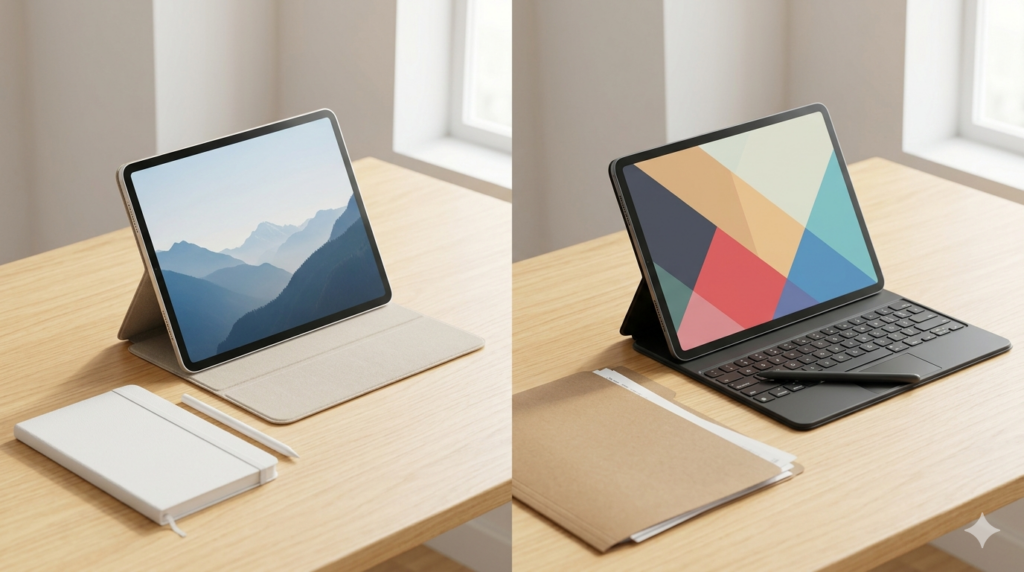
Some buyers want pen use to be part of the purchase from the first day. They are taking notes in class, annotating PDFs at work, or marking up documents often enough that the pen should feel simple, obvious, and easy to budget for. Those buyers often respond well to Android tablet packages that make the handwriting story feel more complete up front.
Other buyers care more about the long-term accessory path than the day-one bundle. They may be happy to pay more later for a better keyboard, a more polished ecosystem, or a more premium add-on story if the base platform already fits them. That is why the pen question is not only about handwriting. It is really about whether the buyer values immediate practicality or a more deliberate premium buildout.
Apps, file handling, and workflow expectations
iPad often wins with buyers who value polished app behavior, a cleaner accessory ecosystem, and a more controlled experience. That does not automatically make it the right answer, but it does explain why many people find iPad easier to recommend when the workflow is already Apple-heavy. The software experience tends to feel predictable, and that predictability matters when the buyer wants fewer surprises.
Android tablets usually make more sense for buyers who think often about file movement, external storage, drag-and-drop habits, or a workflow that feels less fenced in. They can also feel more familiar to buyers who already spend most of their time in Android and Windows environments. The right platform is not the one with the louder fan base. It is the one whose workflow rules disappear fastest into the buyer’s normal routine.
Who usually fits iPad better
iPad usually fits buyers who already use iPhone or Mac heavily and do not want their tablet to feel like a separate island. It also fits buyers who care about polished app behavior, strong accessory support, and a clear upgrade path into Air or Pro models later. In other words, iPad often makes the most sense when the buyer wants continuity as much as they want hardware.
That does not mean every Apple user must buy an iPad, but it does mean the threshold for recommending one gets lower when the surrounding devices already point that way. If a buyer regularly shares files with Apple devices, keeps notes inside Apple services, or expects the tablet to extend the rest of their setup cleanly, iPad often feels easier before the spec sheet even begins.
Who usually fits Android tablets better
Android tablets usually fit buyers who want more straightforward bundled value, more file freedom, and a workflow that feels closer to their phone and PC habits. They can be especially appealing when handwriting matters early, when storage flexibility matters, or when Samsung-style multitasking already feels familiar. In those situations, Android does not feel like a compromise. It feels like the more coherent purchase.
They also fit buyers who are not trying to buy into Apple’s broader accessory and service logic. If the buyer wants a tablet that cooperates with Windows, feels comfortable with open file handling, and does not ask them to rebuild their habits around a more closed ecosystem, Android often becomes the clearer route.
The mistake that makes this choice harder
The most common mistake is trying to settle this with a single spec comparison. Buyers look at the chip, the display, or the storage options and assume the better-looking column will produce the better long-term experience. In reality, the platform question usually matters more because small workflow frictions are repeated hundreds of times after purchase.
That is why so many “close” comparisons stop feeling close once the buyer imagines daily use honestly. If one platform already matches the buyer’s phone, files, pen expectations, and app habits, the answer is often more obvious than the spec sheet suggests. The confusion usually comes from measuring tablets like isolated gadgets rather than routine tools.
A short decision rule
If platform fit is already obvious, the decision is usually obvious too. When that happens, the buyer should not force a fake neutral comparison just because the internet says both sides deserve equal consideration. A strong routine match is already a real advantage.
If platform fit is not obvious, then the right shortcut is to compare pen logic, file handling comfort, and the kind of friction the buyer notices most. That process usually reveals whether the buyer wants Apple continuity or Android flexibility far faster than another round of spec chasing.
Why this choice feels more emotional than it really is
iPad versus Android tablet often gets framed as a values argument, but for most buyers it is a habits argument. People can feel as if they are choosing between identities when they are really choosing between two different kinds of convenience. One side may make ecosystem integration feel smoother. The other may make cost, file freedom, or bundled practicality feel easier.
That emotional fog is part of why buyers sometimes overcomplicate the decision. Once they stop trying to defend a camp and start describing their actual routine, the answer usually becomes much less dramatic. The better platform is rarely the one that wins the internet debate. It is the one that creates the fewest tiny annoyances after the excitement of buying fades.
What a smarter shortlist looks like
A smart shortlist is not “the best iPad versus the best Android tablet.” It is “the iPad that fits my routine versus the Android tablet that fits my routine.” That sounds simple, but it changes the whole tone of the decision because it moves the buyer away from abstract ranking culture and back toward practical fit.
For one buyer, that shortlist might be a compact iPad against a bundled-pen Galaxy Tab. For another, it might be an iPad Air against a more premium Android flagship. The important part is that the shortlist should reflect the buyer’s real role for the device, not the products that happen to be most famous online.
Why many buyers make the wrong comparison
The wrong comparison is usually a headline battle between the most impressive Apple model and the most impressive Android model. That comparison creates drama, but it often hides the actual decision. Many buyers are not choosing between categories at the very top. They are choosing between two sensible stopping points with different strengths.
A better comparison asks which platform will feel easier over a normal month of notes, file sharing, streaming, reading, commuting, and accessory use. Once the buyer compares those lived details instead of brand prestige, the result tends to feel much cleaner and much more durable.
A cleaner way to make the iPad vs Android call
The better tablet platform is the one that disappears into the buyer’s routine instead of asking the buyer to reorganize around it. That is why ecosystem fit, pen logic, and workflow comfort usually decide this faster than raw specs do. The smartest buyers treat the platform choice as a daily-life decision first and a hardware decision second.
The cleanest answer is usually the one that matches the rest of your devices and workflow. iPad wins when Apple continuity is already doing real work for you. Android tablets win when flexibility, file handling, and Samsung-style multitasking matter more.
What to read next